Obsidian Plugin: Sync Summaries to Your Vault
The Obsidian plugin connects TubeZen to your Obsidian vault so the YouTube and podcast summaries you save in TubeZen flow straight into your notes. It's a great way to bring summarized content into Obsidian, where you can organize it, link it, and build your own notes around it.
Summaries reach your vault in two ways:
Automatically. With automation rules in TubeZen, summaries from your favorite YouTube channels and podcast creators are saved and synced into Obsidian as soon as they're created — no manual steps required.
Manually. Save any summary inside TubeZen and the plugin pulls it into your vault almost instantly on the next sync.
What you'll need
Obsidian installed on your computer.
A TubeZen plan that includes Obsidian export. (The plugin's Test connectionstep below confirms export is enabled on your account.)
The setup takes three steps: create a token in TubeZen, install the plugin in Obsidian, then connect the two.
Step 1: Create a token in TubeZen
A token is what lets the plugin securely read your summaries.
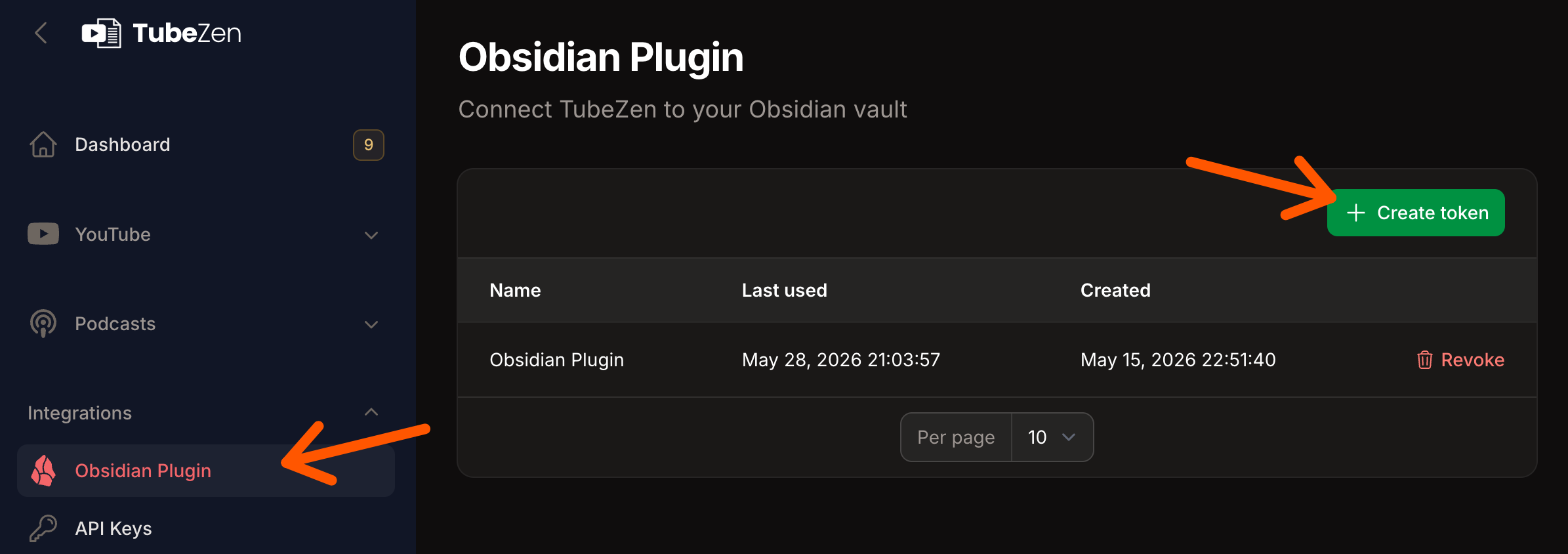
In TubeZen, open Integrations → Obsidian Plugin.
Click Create token.
Your new token appears once. Click Copy, then I've copied it. Keep it handy for Step 3.
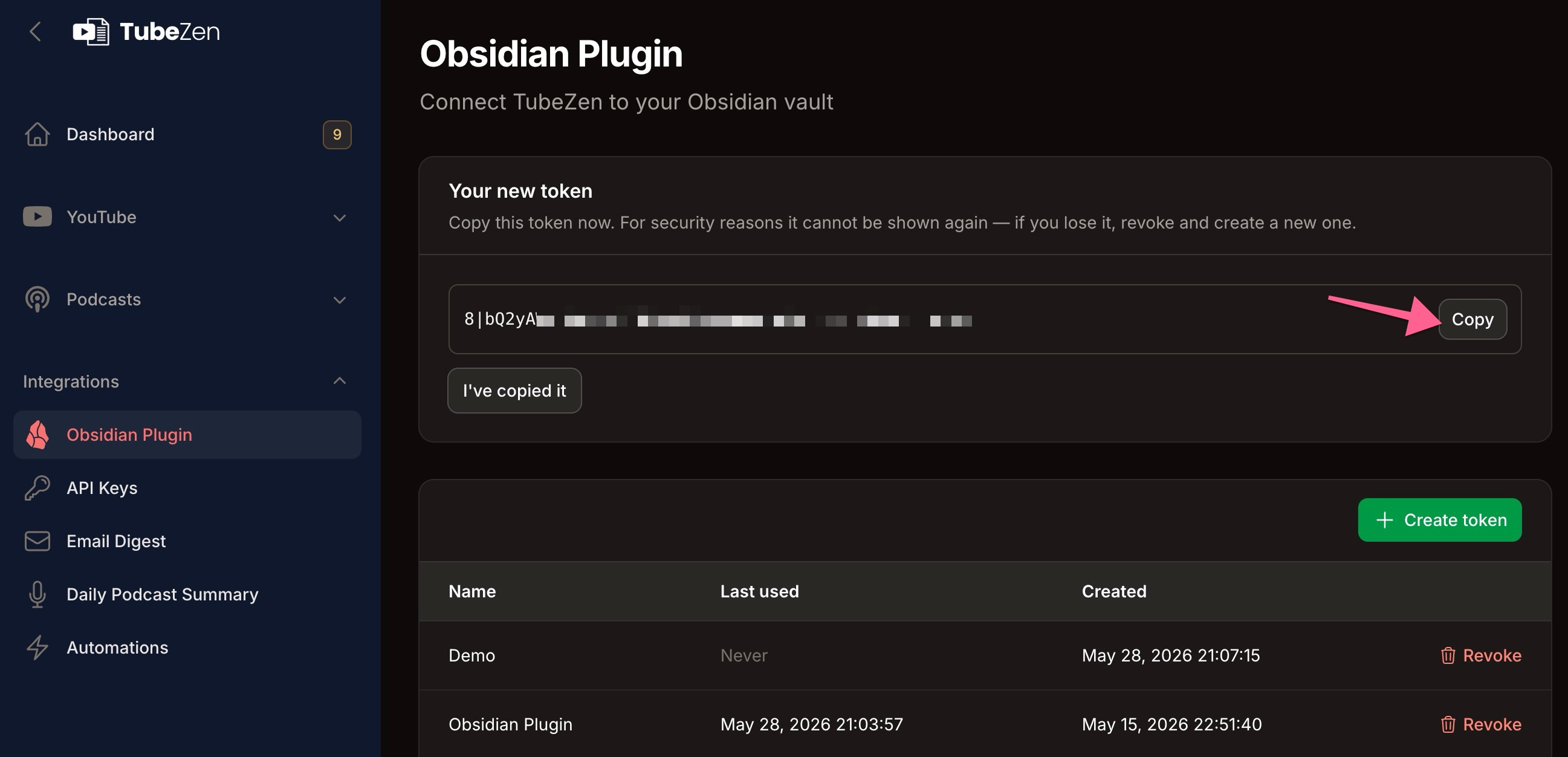
For security, the token is shown only once. If you lose it, just Revokeit on this page and create a new one.
Step 2: Install the plugin in Obsidian
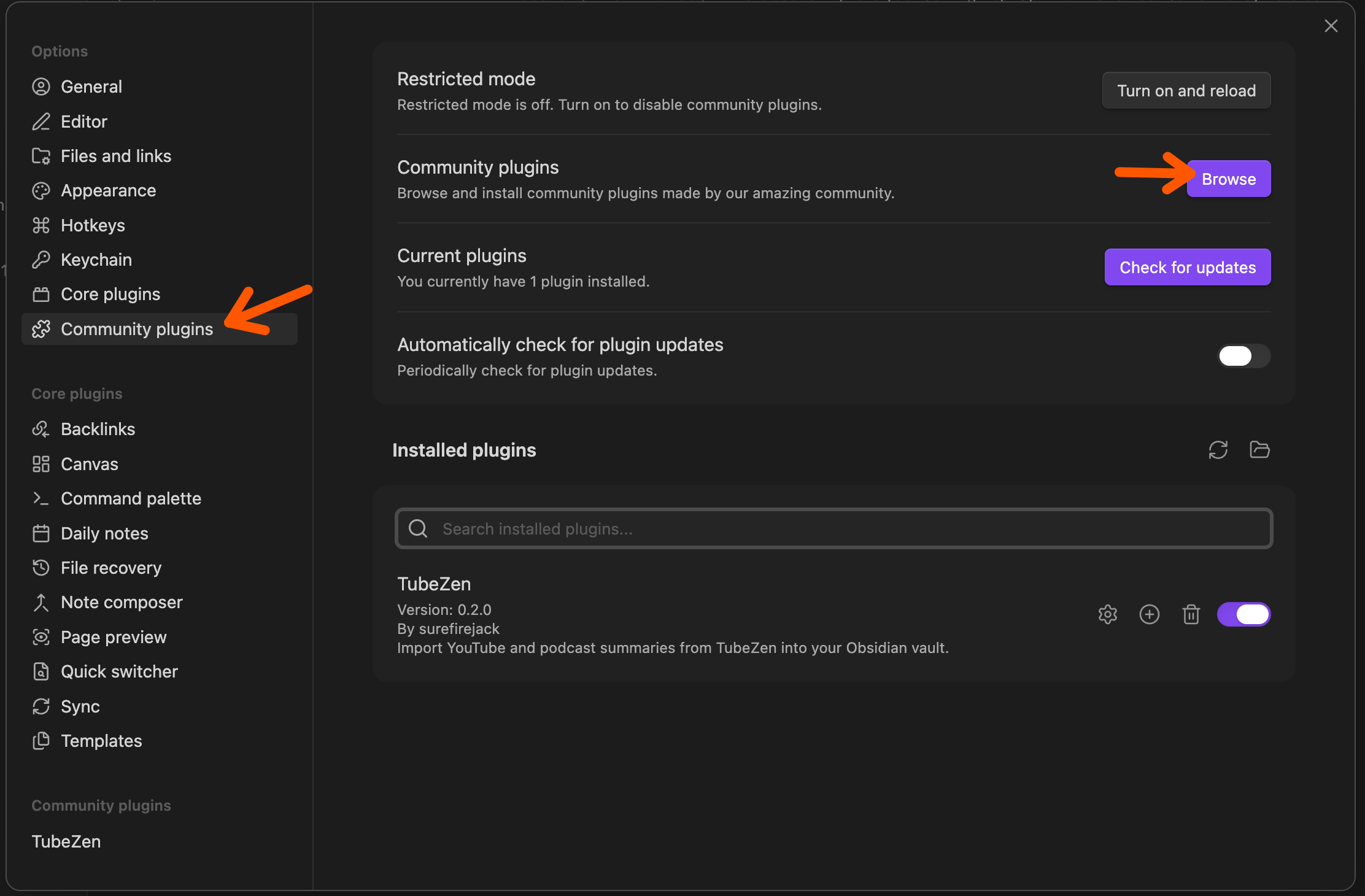
In Obsidian, open Settings → Community plugins.
Click Browse, search for TubeZen, and install it.
Back on the Community plugins screen, make sure the TubeZen plugin is toggled on.
Step 3: Connect and configure
Open the TubeZen plugin settings in Obsidian.
Paste your token into the API token field.
Click Run test to verify the token works and that Obsidian export is enabled on your account.
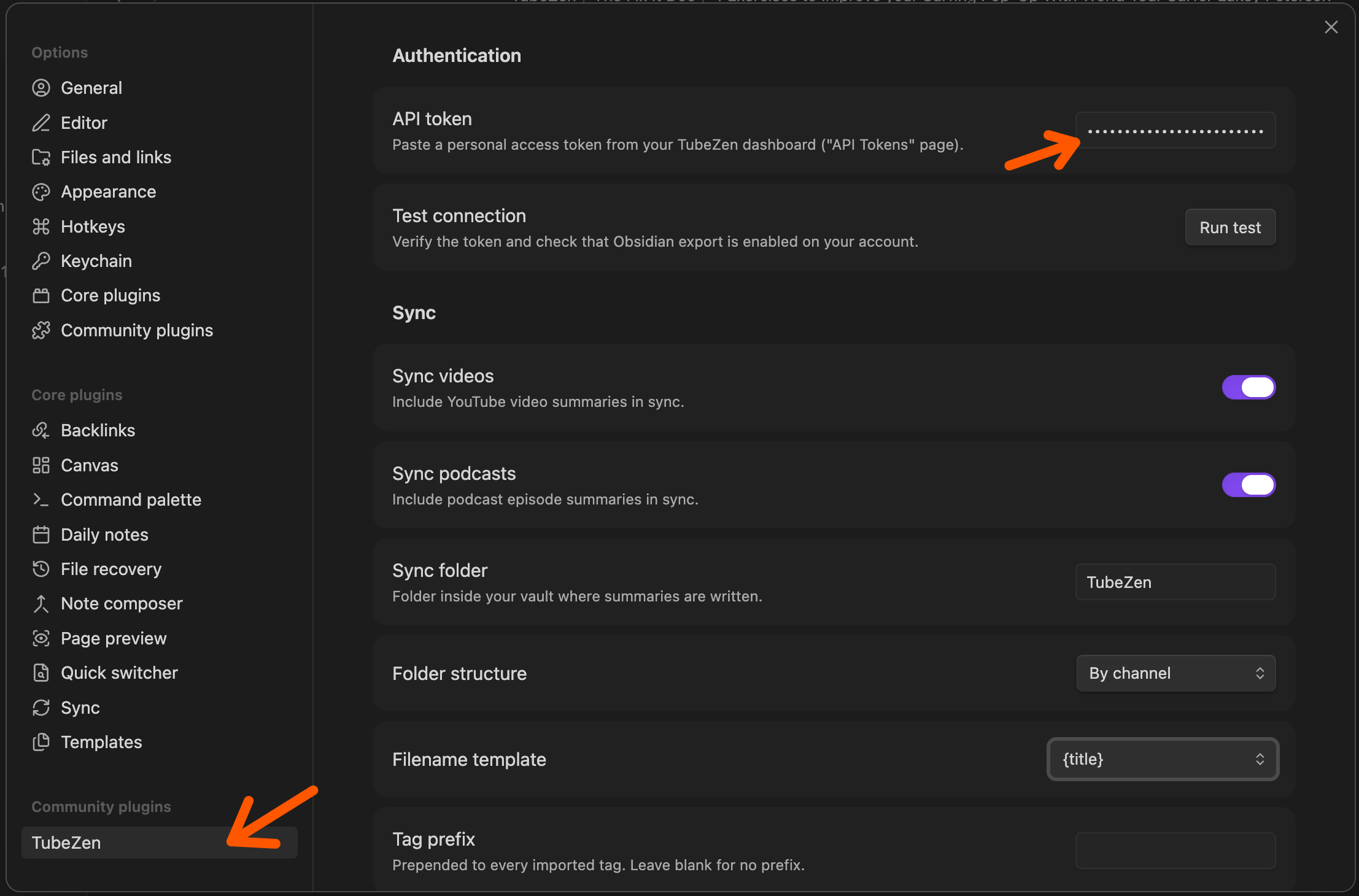
Then choose how your notes are written:
| Setting | What it controls |
|---|---|
| Sync videos | Include YouTube video summaries in the sync |
| Sync podcasts | Include podcast episode summaries in the sync |
| Sync folder | The folder in your vault where summaries are saved |
| Folder structure | How notes are grouped (for example, By channel) |
| Filename template | How each note is named (for example, the video title) |
| Tag prefix | A prefix added to every imported tag (leave blank for none) |
Once connected, your saved summaries start appearing in your vault.
Automatic vs. manual import
Automatic — Set up automation rules in TubeZen so summaries from the channels and podcast creators you follow are saved automatically. Those summaries then sync into Obsidian without you lifting a finger.
Manual — Save a summary yourself inside TubeZen any time, and the plugin imports it into your vault on the next sync.
Either way, each summary becomes a clean note in Obsidian — ready for you to organize, link, and expand with your own thinking.
Working with your summaries in Obsidian
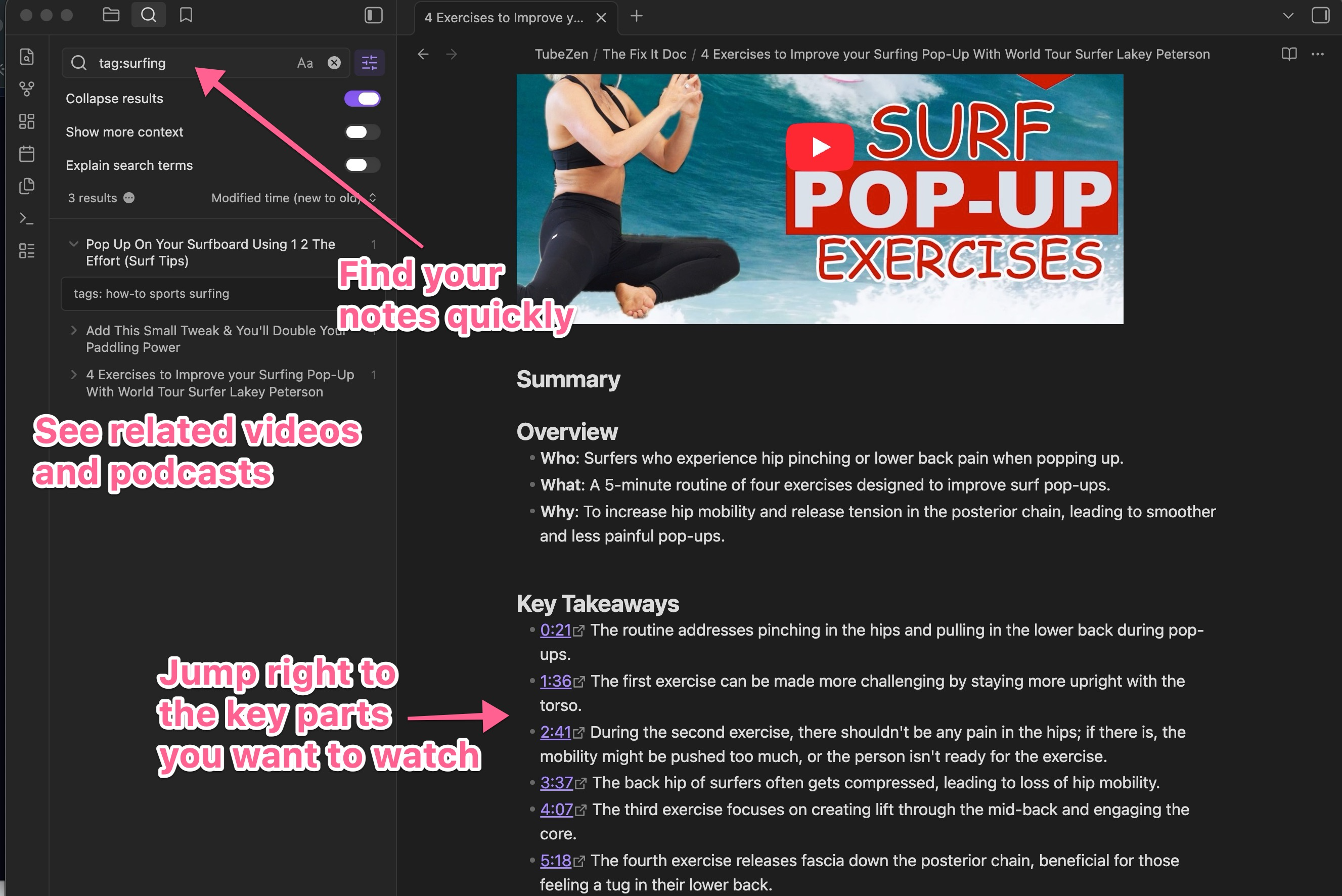
Once your content syncs, each summary becomes a clean, formatted note — the video or podcast at the top, followed by the Overview, Key Takeaways, and Steps.
Podcasts are grouped by show, so a creator's whole catalog lands together. Here's The Tim Ferriss Show sitting in a vault:
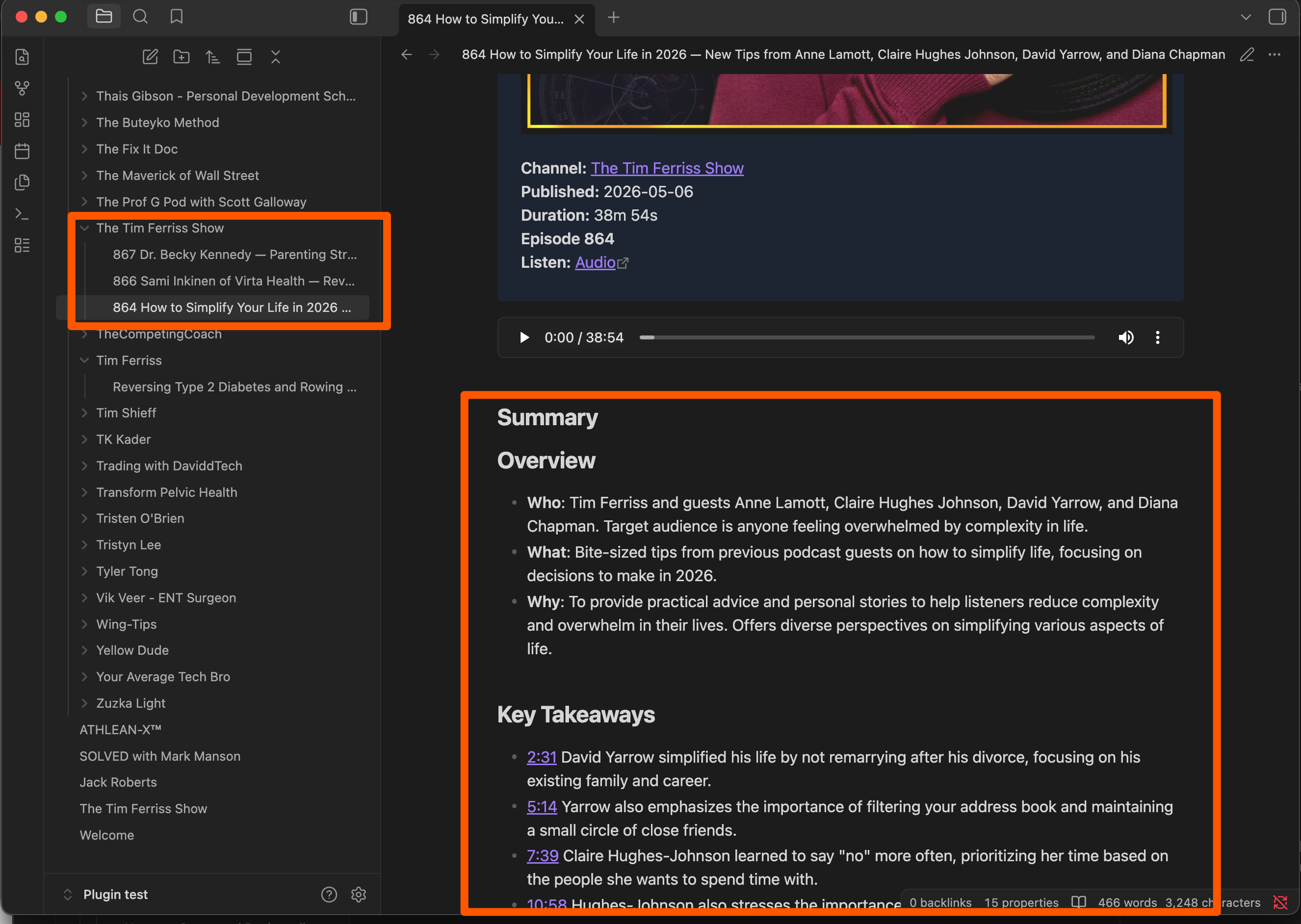
Because every note carries TubeZen's tags and timestamps, you can:
Find your notes quickly — search by tag (for example,
tag:surfing) to pull up every related summary.See related videos and podcasts — connected content surfaces right alongside what you're reading.
Jump straight to the key parts — click any timestamp to open the video at exactly that moment.