Follow a YouTube Channel
Following a channel is the most hands-off way to use TubeZen. Once you follow a creator, TubeZen checks for their new uploads on a schedule and summarizes them automatically — no extra work from you.
This is one of three ways to get videos into TubeZen. See the overview: Getting Your YouTube Videos into TubeZen.
How to follow a channel
From your dashboard, open YouTube → Settings.
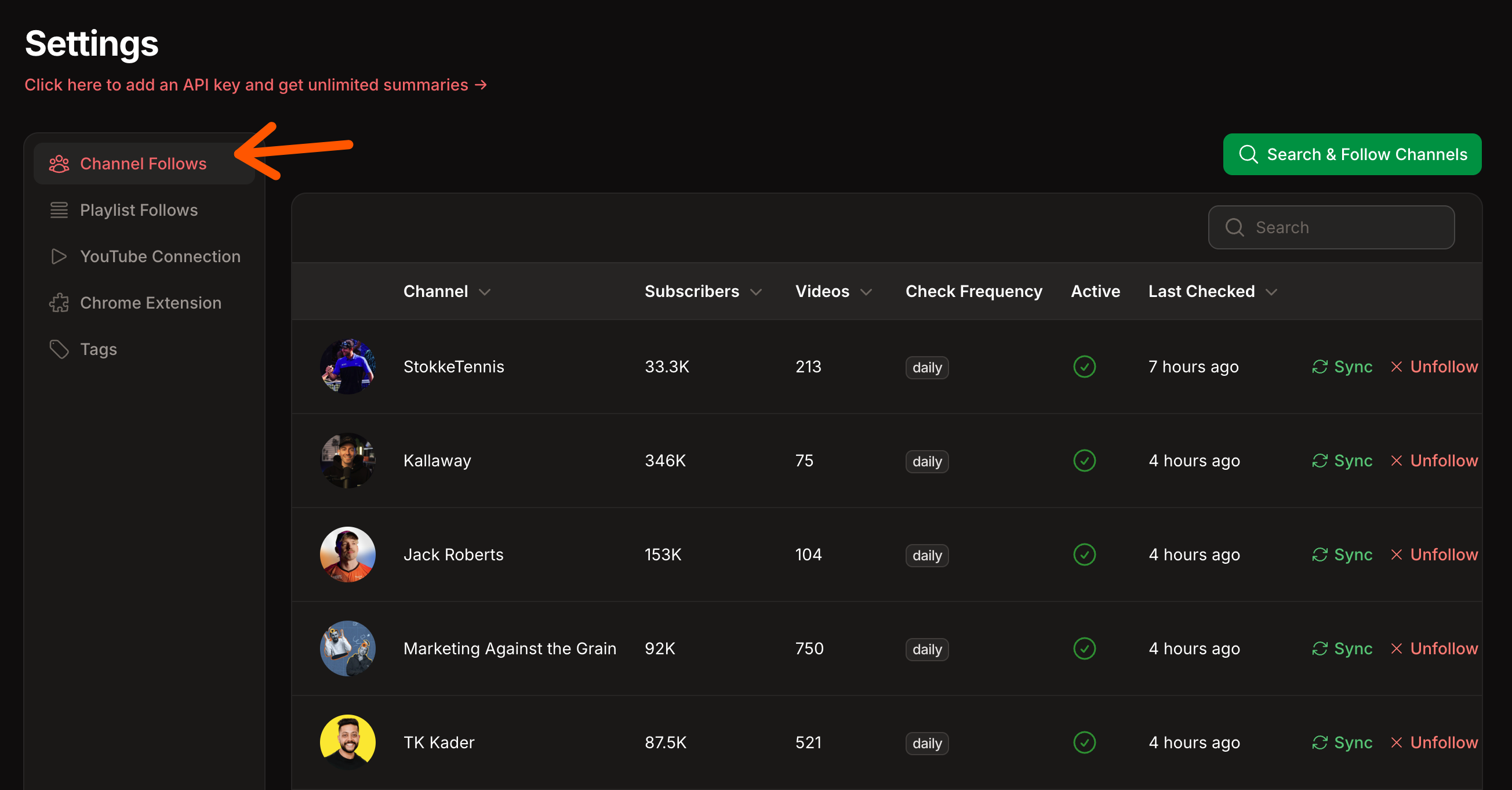
Select the Channel Follows tab.
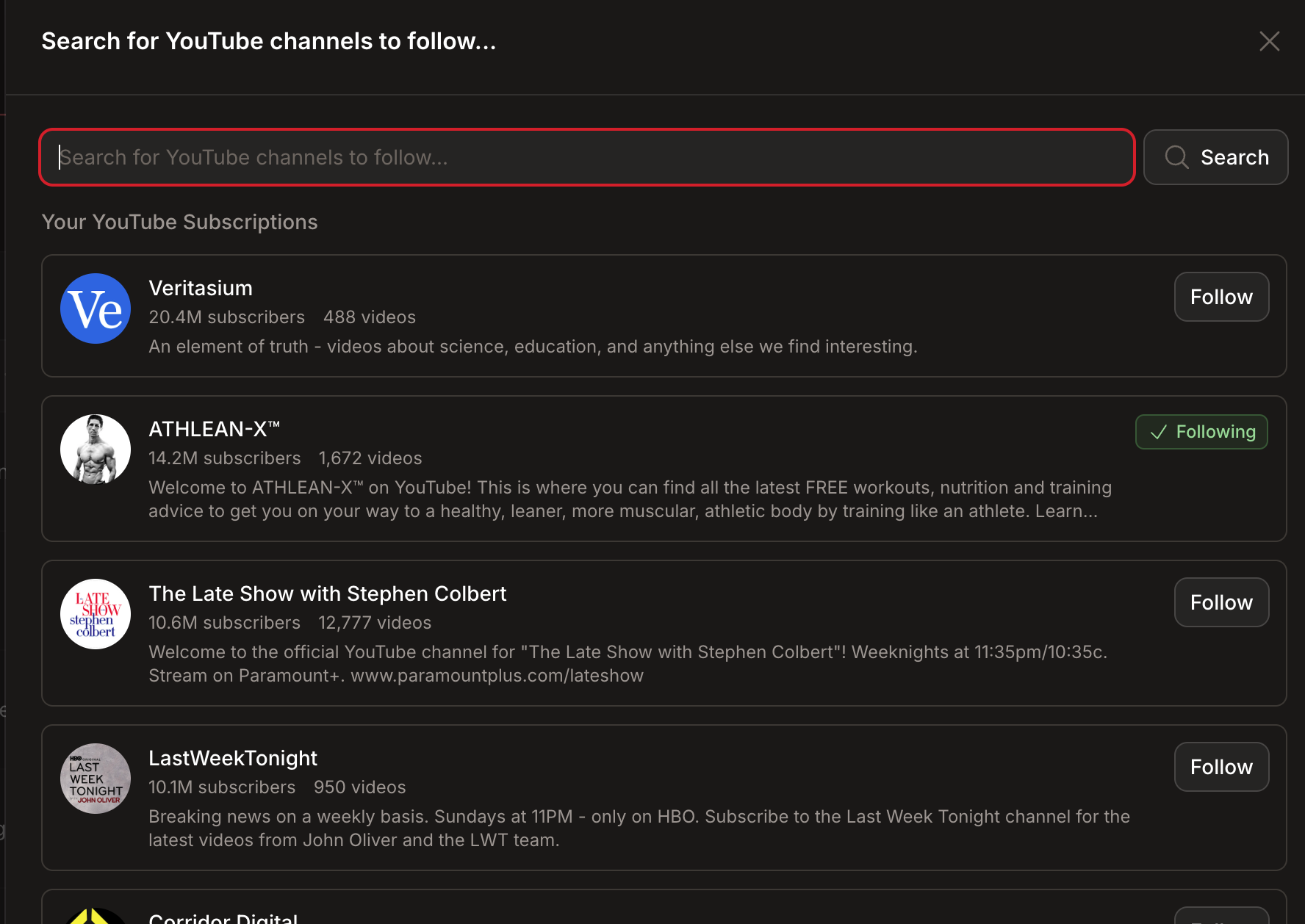
Click Search & Follow Channels.
Type a creator's name in the search box. A list of matching YouTube channels appears.
Click Follow on the channel you want.
That's it — the channel now appears in your Channel Follows list.
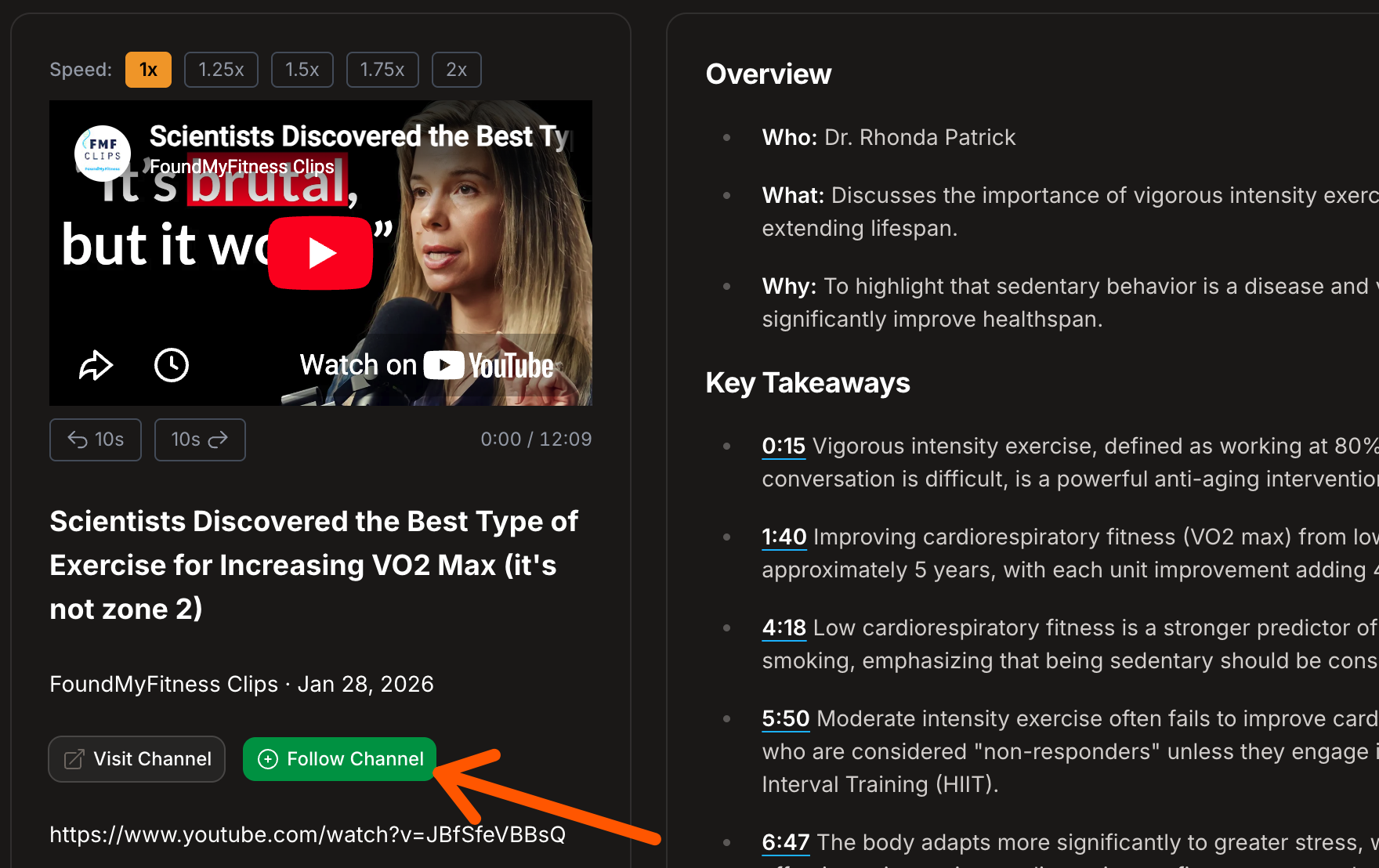
You can also follow a channel straight from a video. While reading any video's summary, click Follow Channel below the player to start following that creator — no search needed.
What happens after you follow
New uploads are summarized automatically. TubeZen checks your followed channels for new videos on a regular schedule (every few hours) and runs each new upload through the AI summary pipeline.
Summaries show up in your dashboard under your videos, ready to read.
Each summarized video uses one credit from your plan (unless you're on Bring Your Own Keys, which is unlimited).
Your Channel Follows list
The Channel Follows tab shows every creator you follow, with:
| Column | What it tells you |
|---|---|
| Channel | The creator's name and avatar |
| Subscribers / Videos | Size of the channel |
| Check Frequency | How often TubeZen looks for new uploads |
| Active | Whether automatic checking is on |
| Last Checked | When TubeZen last looked for new videos |
Check for new videos right now
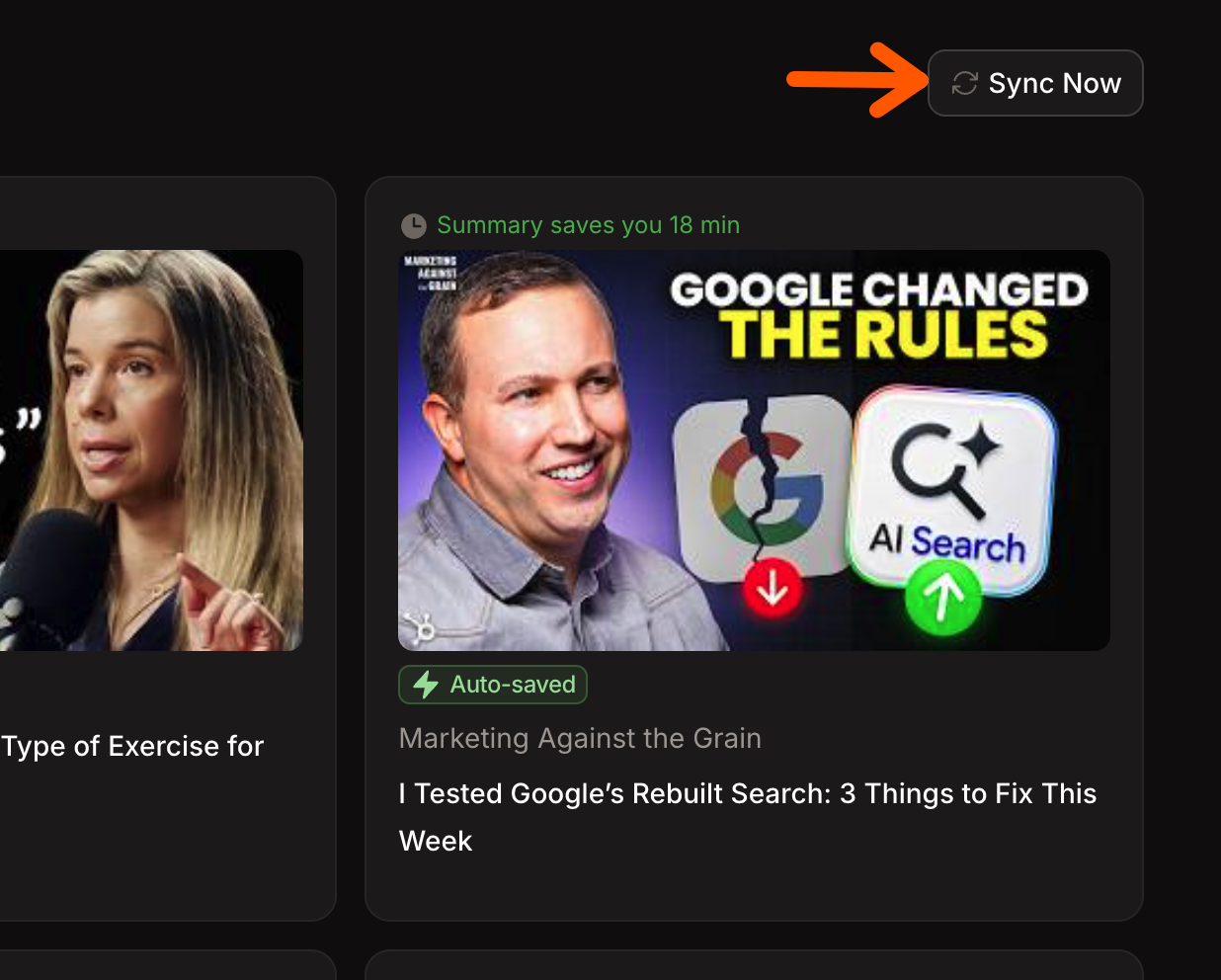
Don't want to wait for the next scheduled check? Click Sync on any channel's row to look for new uploads immediately. You'll see a "Sync started"confirmation, and any new videos are queued for summarizing.
Stop following a channel
Click Unfollow on the channel's row and confirm. TubeZen stops checking that channel for new uploads. Summaries you've already generated stay in your dashboard.
Tips
Follow the channels you'd otherwise check daily. Following is ideal for creators whose every upload matters to you.
For one-off videos, don't follow the whole channel — use the Chrome extension instead.
Want to hand-pick videos rather than get everything a creator posts? Use a playlist.