Your Summaries, Inside Your ObsidianVault
The TubeZen plugin sends the YouTube and podcast summaries you save into your Obsidian vault — automatically — so you can organize, link, and build your own thinking around the content you care about.

See the Obsidian Plugin in Action
A quick walkthrough of what the plugin does, how it helps, and how to set it up in minutes.
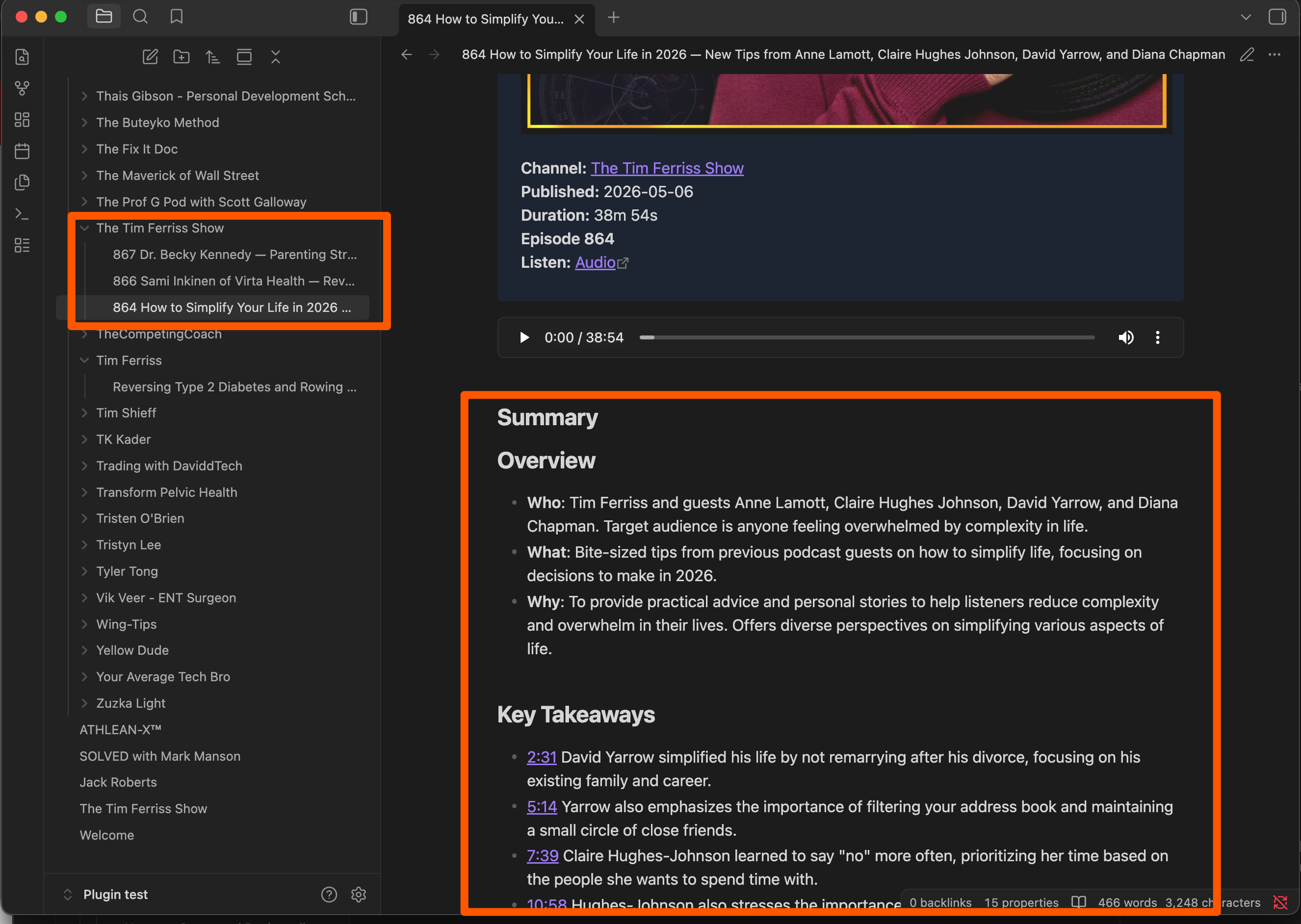
Every Summary Becomes a Clean, Linkable Note
Each summary lands in your vault as a tidy, formatted note — the video or podcast at the top, followed by the overview, key takeaways, and steps. Podcasts are grouped by show, so a creator's entire catalog sits together, ready for you to organize, link, and expand with your own notes.
Get Started Free →Summaries Arrive Automatically
Set up automation rules in TubeZen and summaries from your favorite YouTube channels and podcast creators are saved and synced into Obsidian the moment they're created — no manual steps required. Prefer to curate? Save any summary by hand and the plugin pulls it in on the next sync.
Followed channels sync themselves
Save anything, any time
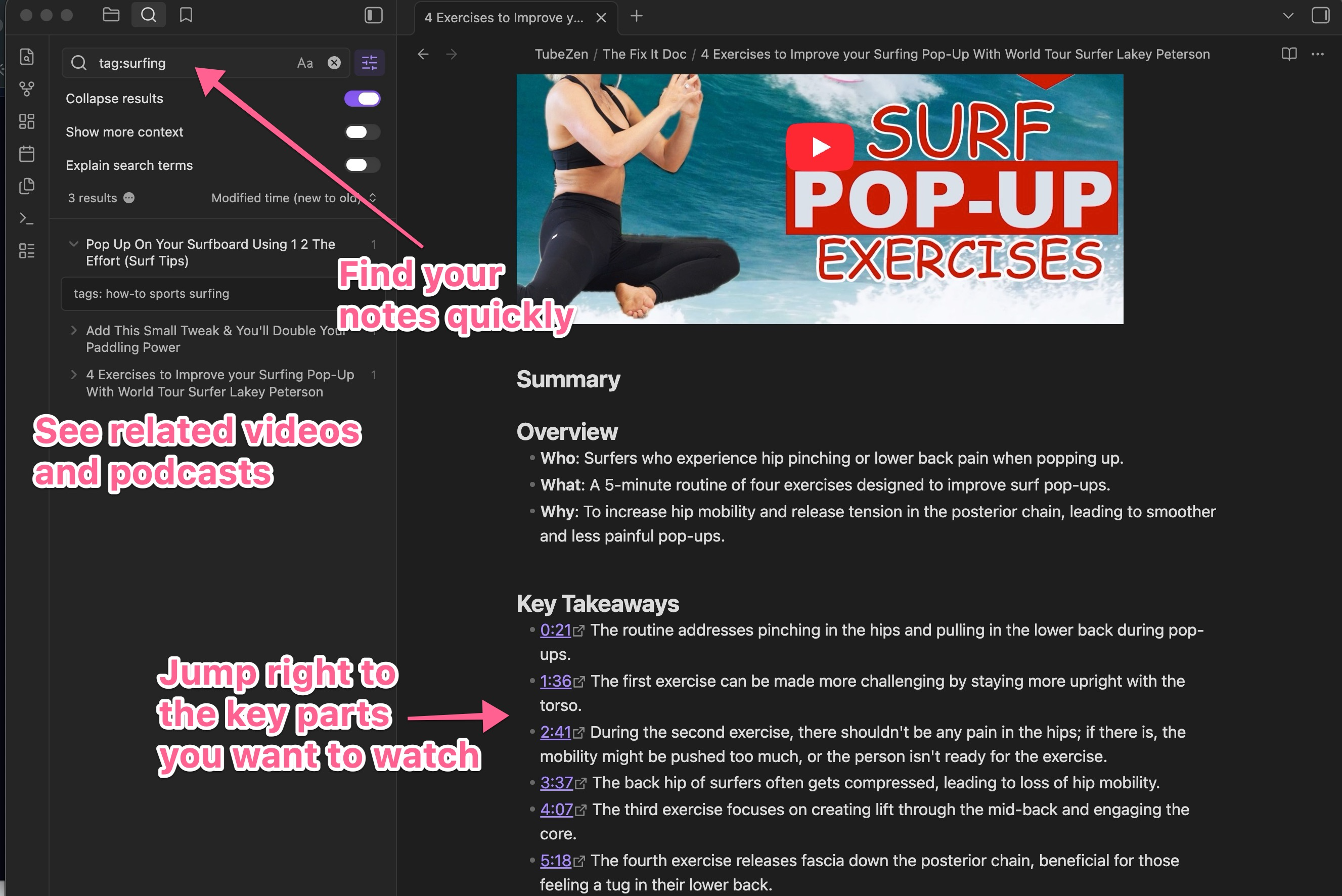
Tags, Timestamps, and Connections — Built In
Every note carries TubeZen's tags and timestamps, so your library stays searchable from day one. Pull up every related summary with a tag search, see connected videos and podcasts surface alongside what you're reading, and click any timestamp to open the original video at exactly that moment.
Set Up in Three Simple Steps
Create a token in TubeZen, install the plugin in Obsidian, then connect the two. It takes just a few minutes.
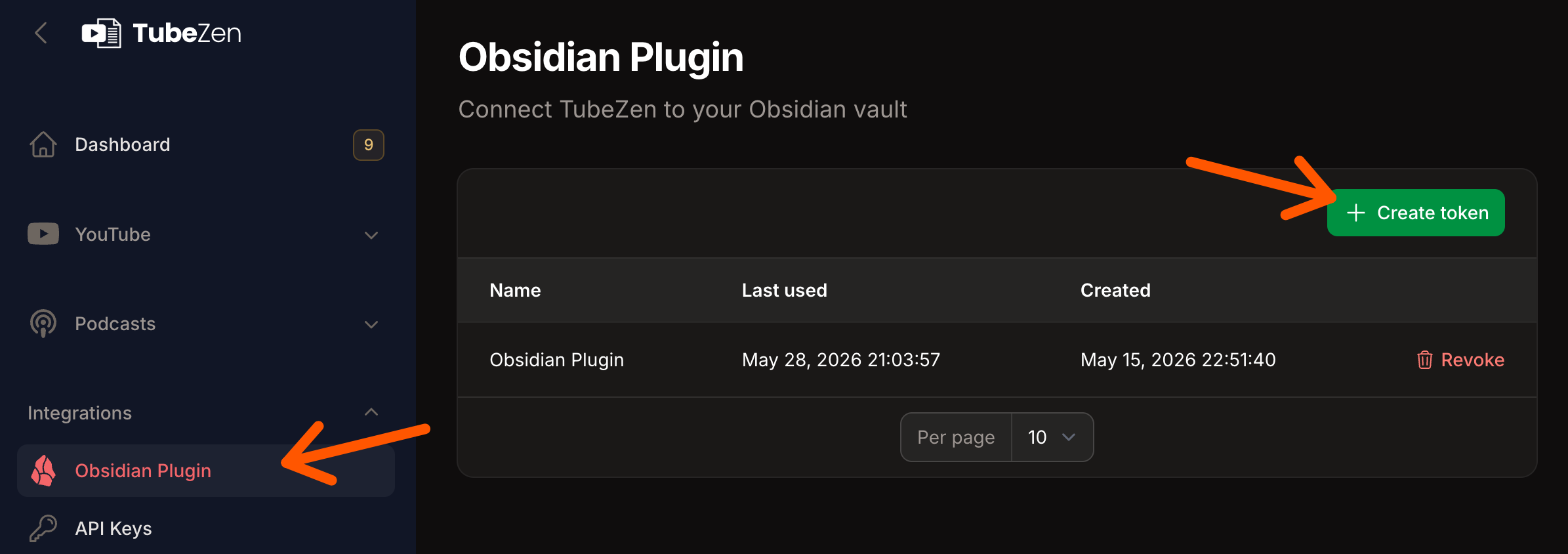
Create a Token in TubeZen
Open Integrations → Obsidian Plugin in TubeZen and click Create token. Your token connects the plugin securely to your account — copy it once and keep it handy for the final step.
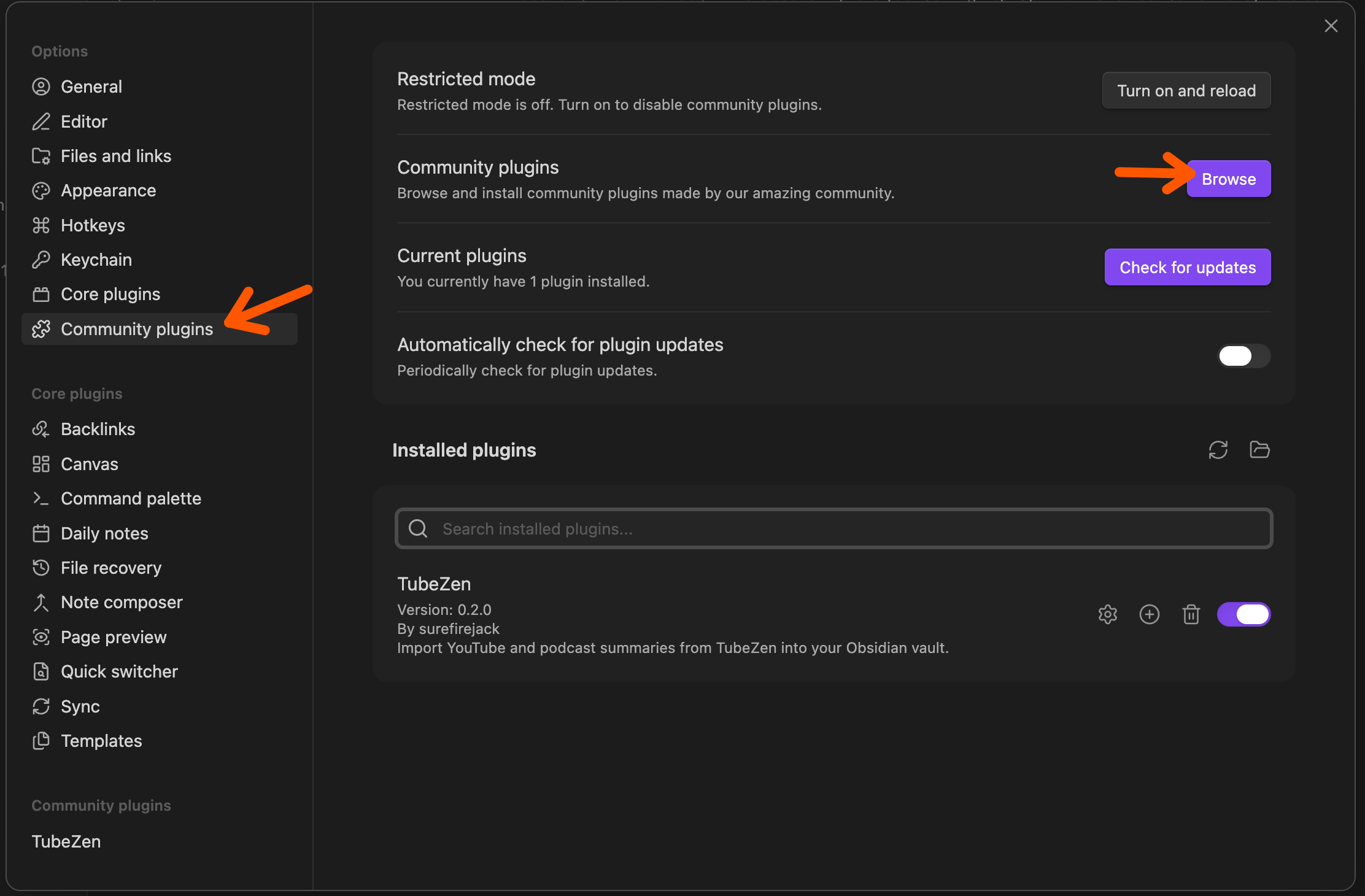
Install the Plugin in Obsidian
In Obsidian, open Settings → Community plugins, click Browse, search for TubeZen, and install it. Toggle it on and you're ready to connect.
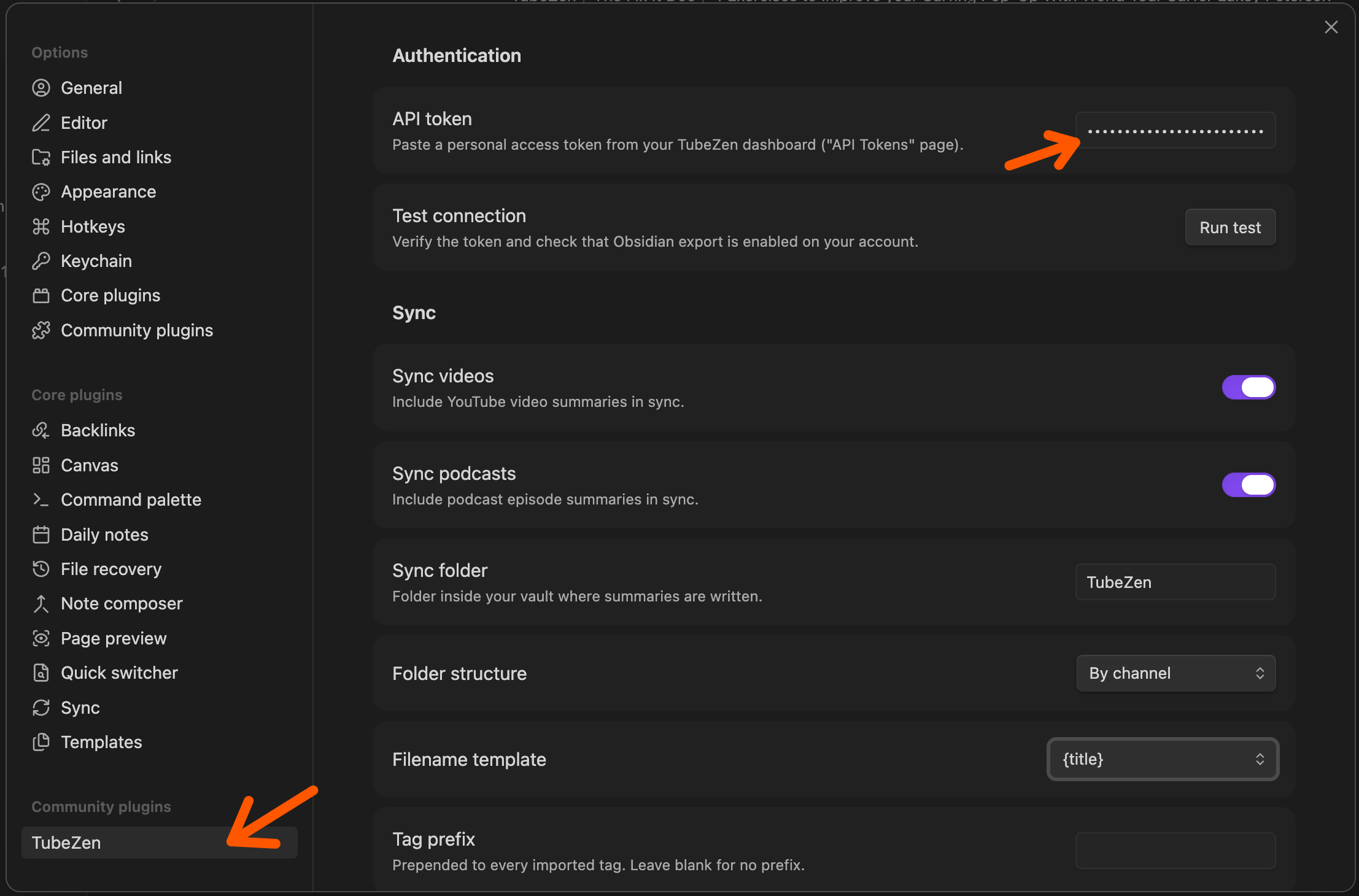
Connect and Choose Your Setup
Paste your token into the plugin and run a quick test. Then decide how your notes are written — pick your sync folder, group notes by channel, set a filename template, and choose whether to sync videos, podcasts, or both.
Read the Full Setup Guide →Turn TubeZen Into Your Second Brain
Start summarizing the videos and podcasts you love, then let them flow straight into Obsidian. Try TubeZen free — no credit card required.
The Obsidian plugin is free with any TubeZen account; importing raw transcripts requires a subscription. TubeZen is not affiliated with, endorsed by, or sponsored by Obsidian, YouTube, Google, or Alphabet Inc. All trademarks are the property of their respective owners.