How TubeZen Saves You Time
Every TubeZen summary is built to save you time. Instead of sitting through a 20-minute video or an hour-long podcast, you read the key points in a couple of minutes — and only watch the parts that actually matter to you. Here's how.
The walkthrough above shows three of these in action.
Start with the summary
Open any summary from your dashboard and you can:
- Skim — Scan the Overview and Key Takeaways to get the gist in seconds. Most of the time, that's all you need.
- Skip — Once you've skimmed, you'll often realize you can skip the video altogether: either the summary already told you what you needed, or you can see it's not relevant to you. Skipping a video entirely is the biggest time-saver of all.
- Seek — Want the detail behind one point? Click its timestamp and the video jumps straight to that moment — no scrubbing around to find it.
When you do watch
When a video is worth playing, two controls help you get through it faster:
- Speed — Bump the playback speed up to 1.25x–2x to get through the video in a fraction of the time.
- Skip ahead — Use the skip buttons to jump forward in 10-second steps and breeze past anything you don't need.
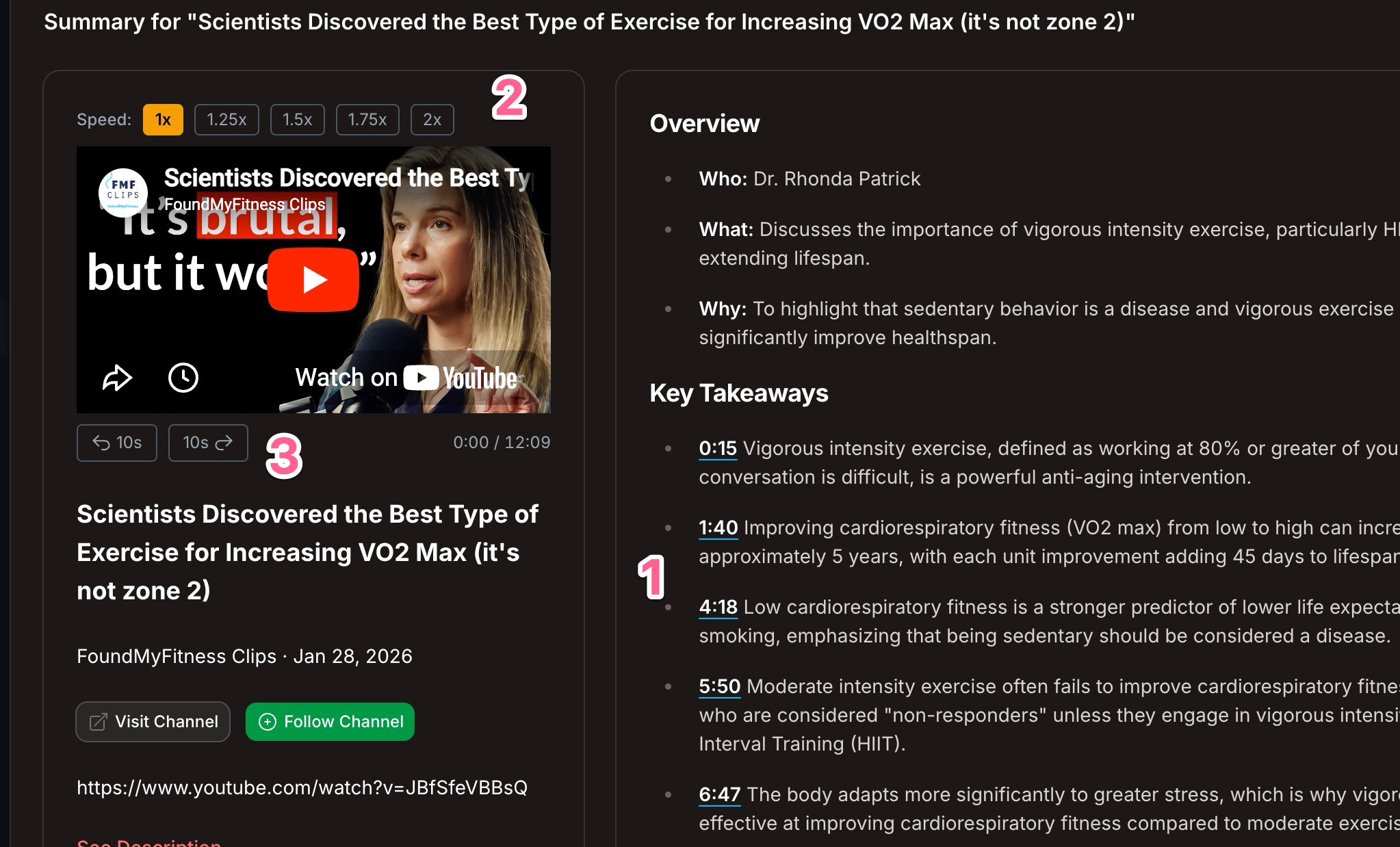
The numbered markers in the screenshot point out three of these:
- The summary you skim, skip, and seek from.
- The playback-speed control.
- The skip-ahead buttons.
The bottom line
The fastest path is almost always the same: read the summary, decide whether the video is even worth your time, and if it is, speed through it and jump to the moments that matter. New here? See Your Dashboard to find all your summaries in one place.